Run a cue from the podium
Everything a conductor touches during a take, and nothing else.
The screen
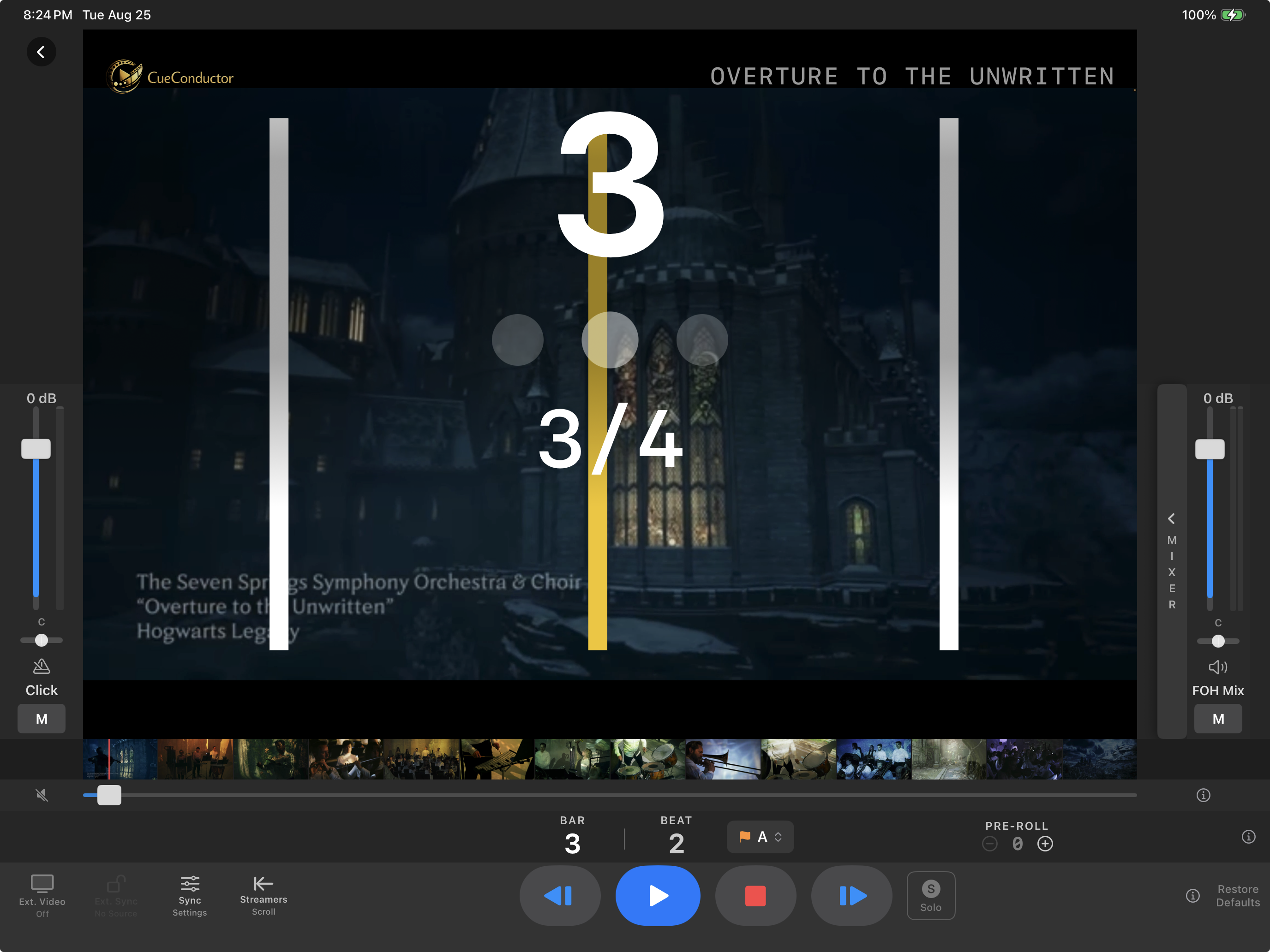
- Counter: bar, beat dots and meter, over the scoring video.
- Streamers travel across the picture and land on the beat. A courtesy meter trails the first bar of a new time signature.
- Transport along the bottom: step back a bar, Play, Stop, step forward a bar, with the time and timecode readout.
- Click and FOH faders at the sides, each with pan, mute and a meter.
- Stem mixer: open the drawer to see every stem with its own fader, solo and mute.
Transport
- Play starts from the current position after the cue's own pre-roll clicks.
- Stop parks where you are. Stop twice quickly returns to the start of the cue.
- Step buttons move one bar at a time while parked.
- Drag in the scrub bar under the picture to locate anywhere. The filmstrip above it shows where you are in the video.
Locate
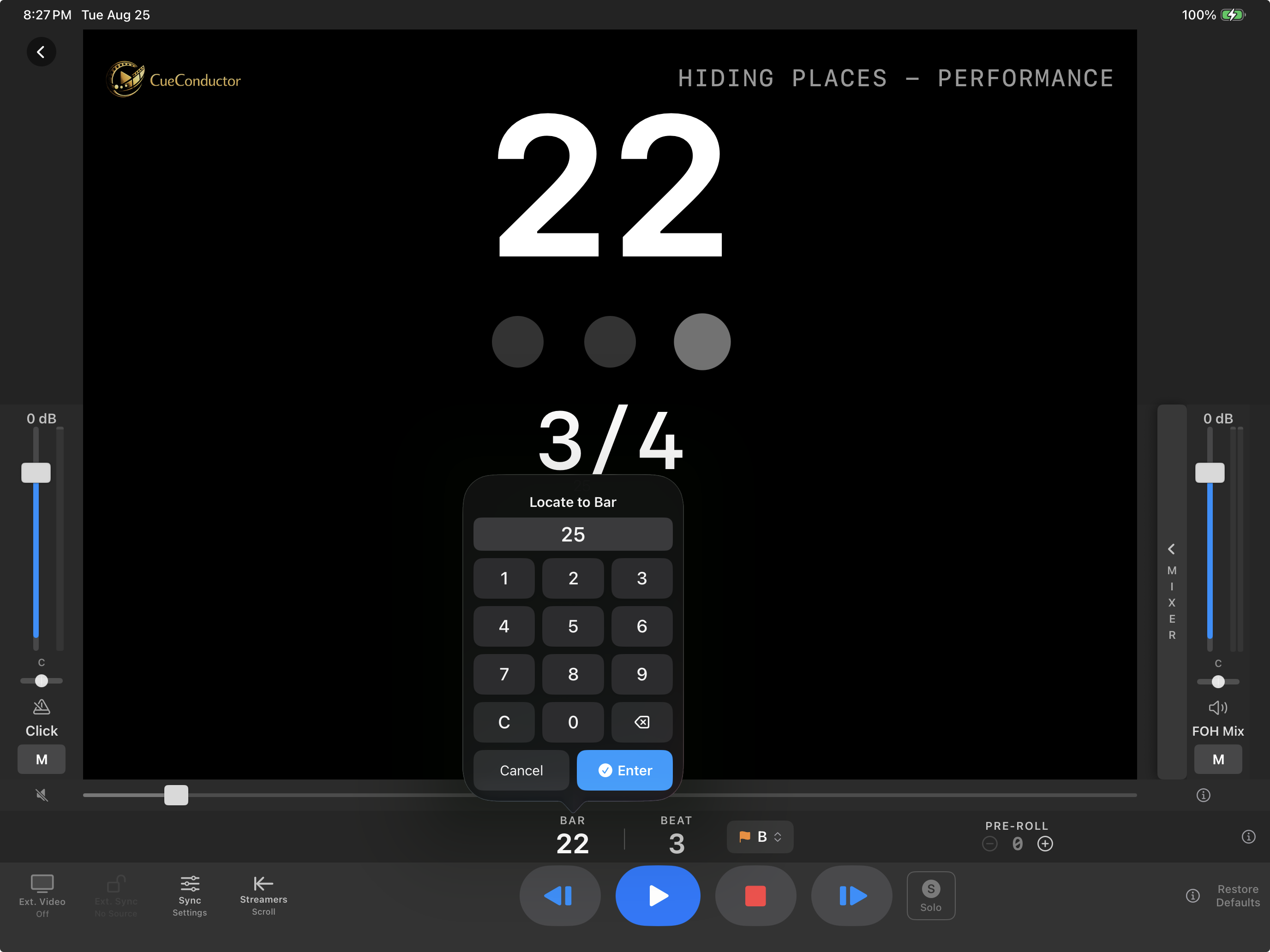
- Type a bar number and press Go. With playback stopped you land there parked; with playback running you land there playing.
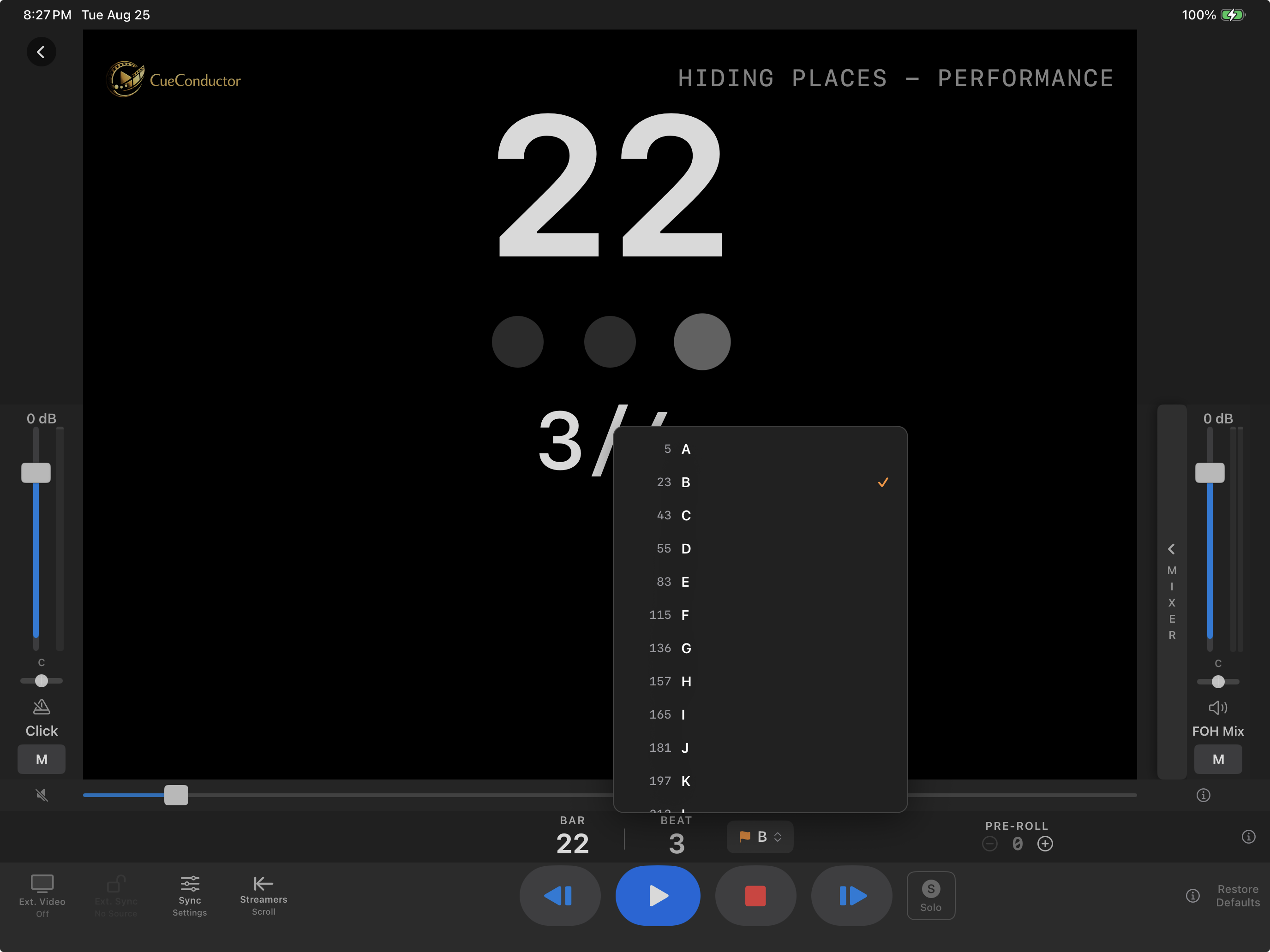
- The marker list has every rehearsal letter and section name in the cue. Jump & Pause sets a section up; Jump & Play rolls straight into it.
Mix without leaving the podium
Open the stem drawer. Each stem has a fader, solo and mute. Solo across several stems is a mode, and the master solo button blinks while it is on so you never leave it armed by accident. Restore Defaults returns the mix the cue's author set.
Pre-roll
The cue's author set how many prep clicks precede the first bar. The counter shows PRE-ROLL and counts them down so you can bring the orchestra in on the downbeat.
If it doesn't work
- Play does nothing. Check that the device is not locked to a master in Sync Settings; a following device does not start on its own.
- The picture is black after the last frame. That is the video-less tail of the cue; the counter keeps running to the end bar.
- The click is late in Bluetooth earbuds. See Earbuds on a stand.