Read your part
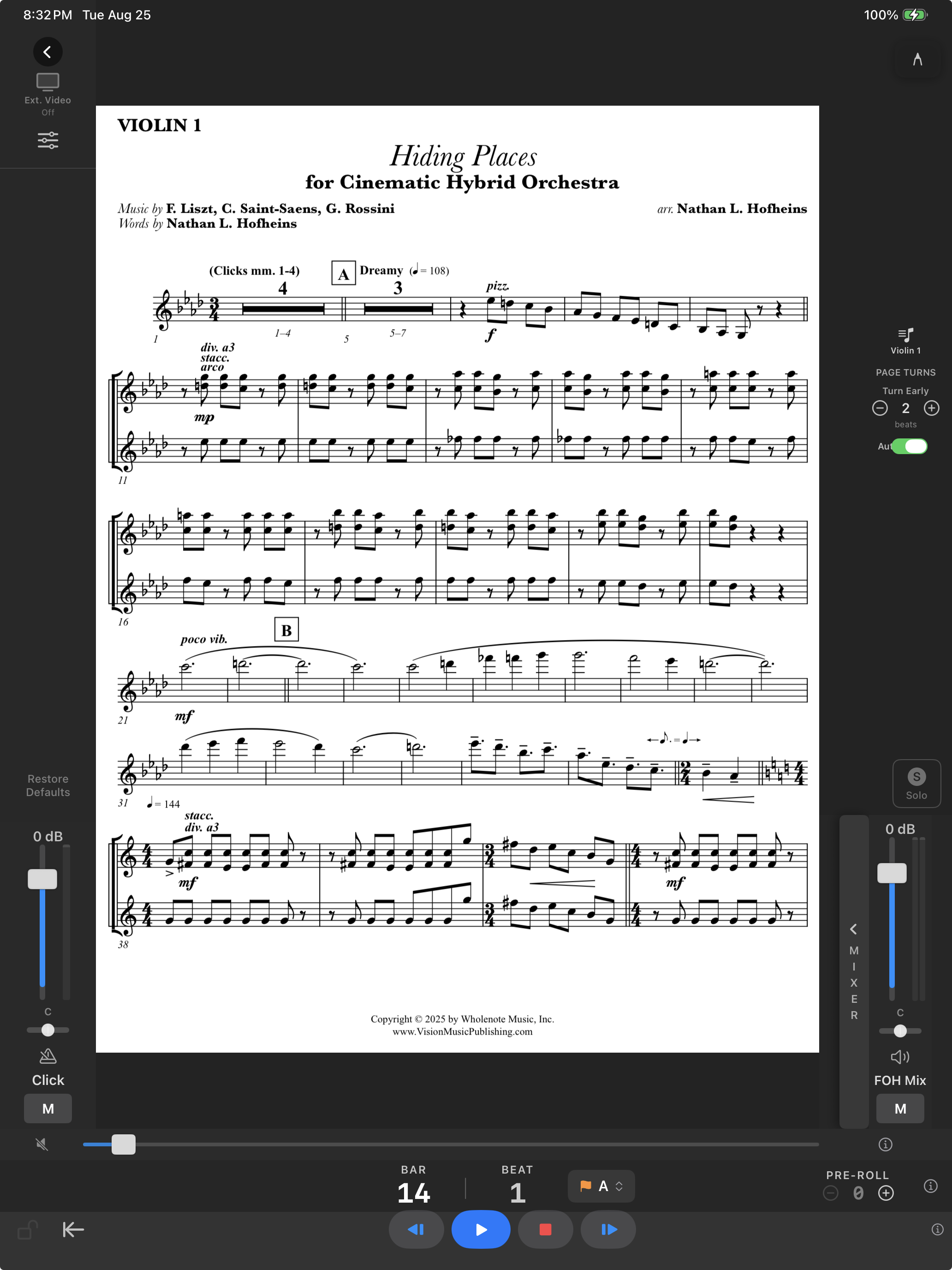
- Open the cue and tap Part. The list shows the score and every part the cue carries. Choose yours; the choice follows you across cues.
- Turn the device to portrait. The page fills the screen with the counter and beat dots over it.
- Pages turn from the conductor's tempo, Turn Early by the number of beats you set, so the next page is up before you need it.
Marking the part
Write with Apple Pencil, or a finger if you prefer. Markings are kept per part on this device, through updates of the cue.
Panels in the way
On iPad, the three dots at the top of the side column and at the end of the transport fold those panels away. A tap in the middle of the page brings them back. In full screen nothing is drawn over the music.
Several players on one stand
Open the score instead of a part, or choose the part that reads best for both. Each stand remembers one part per cue.