Conduct from the score
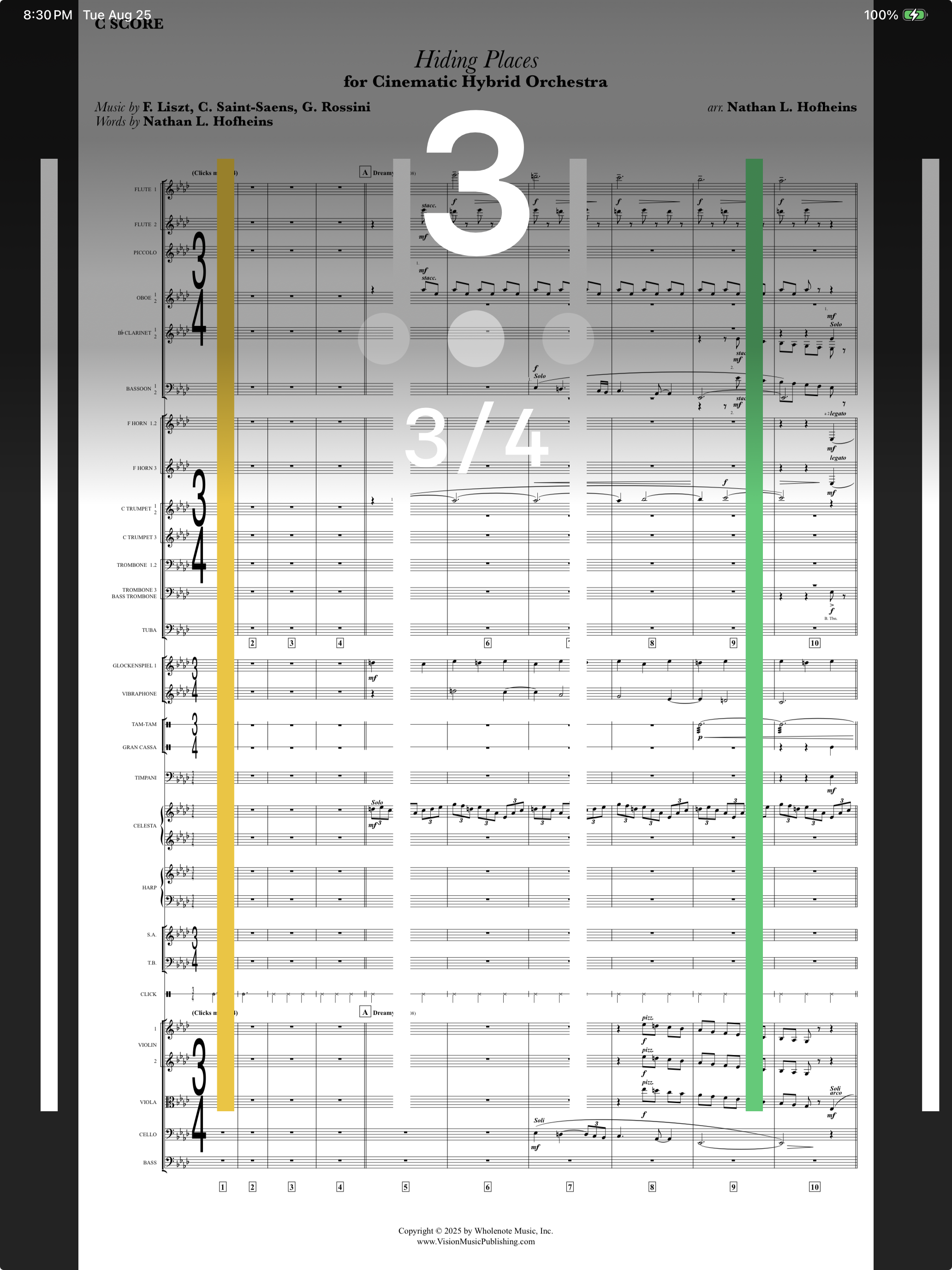
Attach a PDF score and turn the iPad upright. The music replaces the video, with the counter, beat dots and streamers over it, and the pages turn themselves.
Get the score into the cue
Scores and parts are added in CueBuilder: drop the whole stack of PDFs into Score & Parts and they sort into concert order, name themselves and read their own measure numbers to build the page maps. Cues from the catalog come with theirs.
Open it
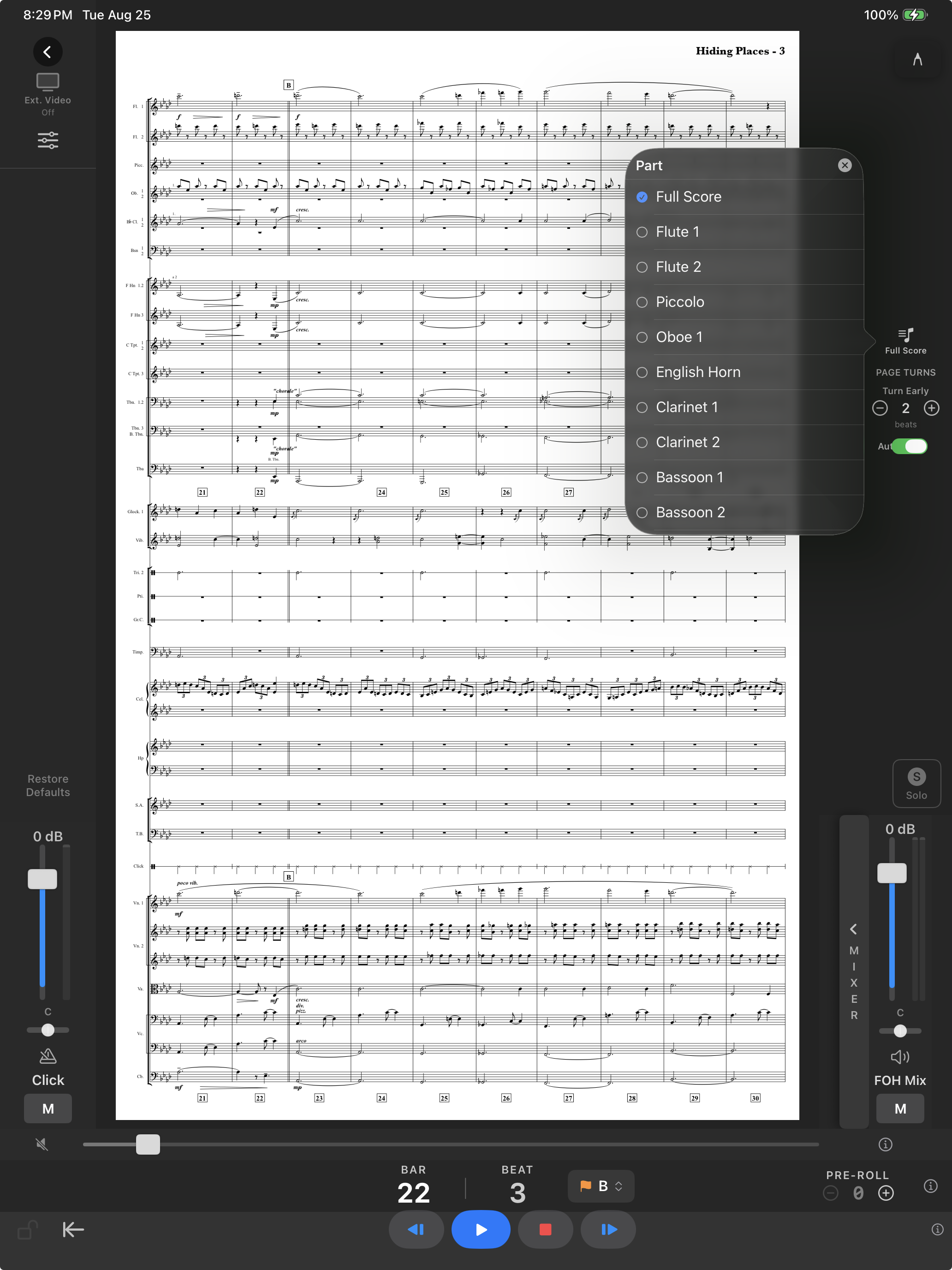
- Open the cue and tap Part. Choose Score, or any part.
- Turn the iPad to portrait. The page fills the screen.
Page turns
Pages turn from the cue's own tempo map. Under Page Turns set Turn Early to the number of beats before the page's first bar you want the turn, so your eyes are never on a dead page. A Bluetooth pedal turns pages too.
Mark it up
Write on the page with Apple Pencil. Markings are kept per part, per device, and travel with the cue when you share it, if you choose to include them.
Clear the screen
On iPad the panels around the score collapse:
- Three dots at the top of the mixer column fold it to a slim tab with Back and the dots.
- Three dots at the right end of the transport fold it to a slim bar.
- A tap in the centre of the page brings everything back, at whichever shape you left it.
Each choice is remembered per device. In full screen nothing is drawn over the music.
If it doesn't work
- Pages turn at the wrong bar. The page map comes from the measure numbers printed on the PDF. Check the first bar of each page in CueBuilder's score preview.
- The pedal does nothing. Most pedals send page-up and page-down keys; pair it in Settings → Bluetooth and open the score view before testing.