Build a cue with CueBuilder
Your session becomes a cue. Drop in the MIDI file, stems, score and part PDFs and the scoring video, and CueBuilder turns them into a .conductpkg any CueConductor can play.
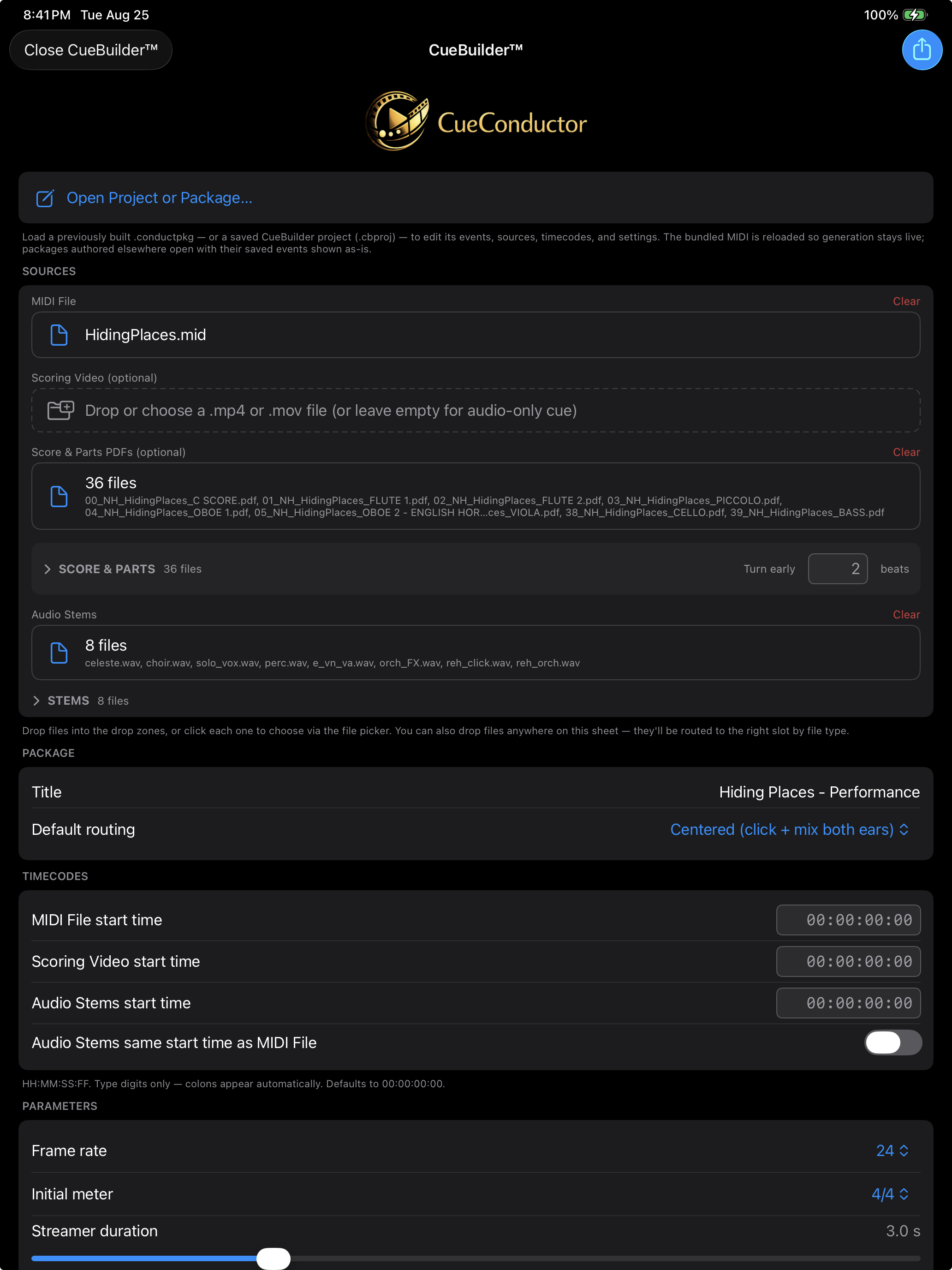
What you need
- A MIDI file exported from the session with the tempo map and meter changes. This is the only required file.
- Stems as WAV or AIFF, all starting at the same timecode. Include the click as a stem named click.
- Score and part PDFs, optional.
- Scoring video, optional, with or without embedded timecode.
- Pro.
Steps
- In the Library tap CueBuilder™.
- Sources. Drop each file in its zone, or click a zone to choose. Files dropped anywhere on the sheet are routed by type. Part PDFs sort into concert order and name themselves.
- Package. Give it a title. Choose the default routing: Centered puts click and mix in both ears; Split puts the click left and the mix right.
- Timecodes. Enter the MIDI file's start timecode on the keypad, digits only. Leave Audio Stems same start time as MIDI File on unless the stems start elsewhere. A video with embedded timecode fills its own start.
- Parameters. Frame rate to match the session. Initial meter, streamer duration, and how big a tempo change registers as one.
- Meter / Beat Divisions. For each meter change choose the beat grouping, so a 7/8 bar gets streamers on the beats you conduct.
- Cue Layout. The bar number the MIDI's first measure displays as, the first bar of prep clicks, the first bar of music and the cue's end bar. Prep clicks and start produce the yellow, white and green events; the end produces the red one.
- Annotations. Rehearsal letters and section names as
bar=labelpairs. - Events. The generated list, live as you change parameters. Delete an auto event to suppress it; Add Manual writes your own streamer or label at any bar and beat.
- Preview. Builds a temporary package and plays it through the real engine and overlay. Refresh after edits.
- Add to CueConductor installs it in the Library. Compile and Share Package… sends it on; Compile to Folder… writes the file where you choose.
Save the work in progress at any time with Save CueBuilder Project…. Open a saved project or an existing .conductpkg with Open Project or Package… to edit it; the bundled MIDI is reloaded so generation stays live.
If it doesn't work
- No meter changes appear. The MIDI file has none, or only meters with a single grouping. Export the MIDI from the session with the meter track.
- The streamers land early or late against the stems. The timecodes differ. Check the MIDI start and the stems' start in the session's clip properties.
- The library already has this title. Choose Replace to update it, or Rename… to add it beside the old one.